How Multi-Factor Authentication (MFA) reduces cybersecurity risks
Most successful attacks don’t begin with Hollywood hacking.
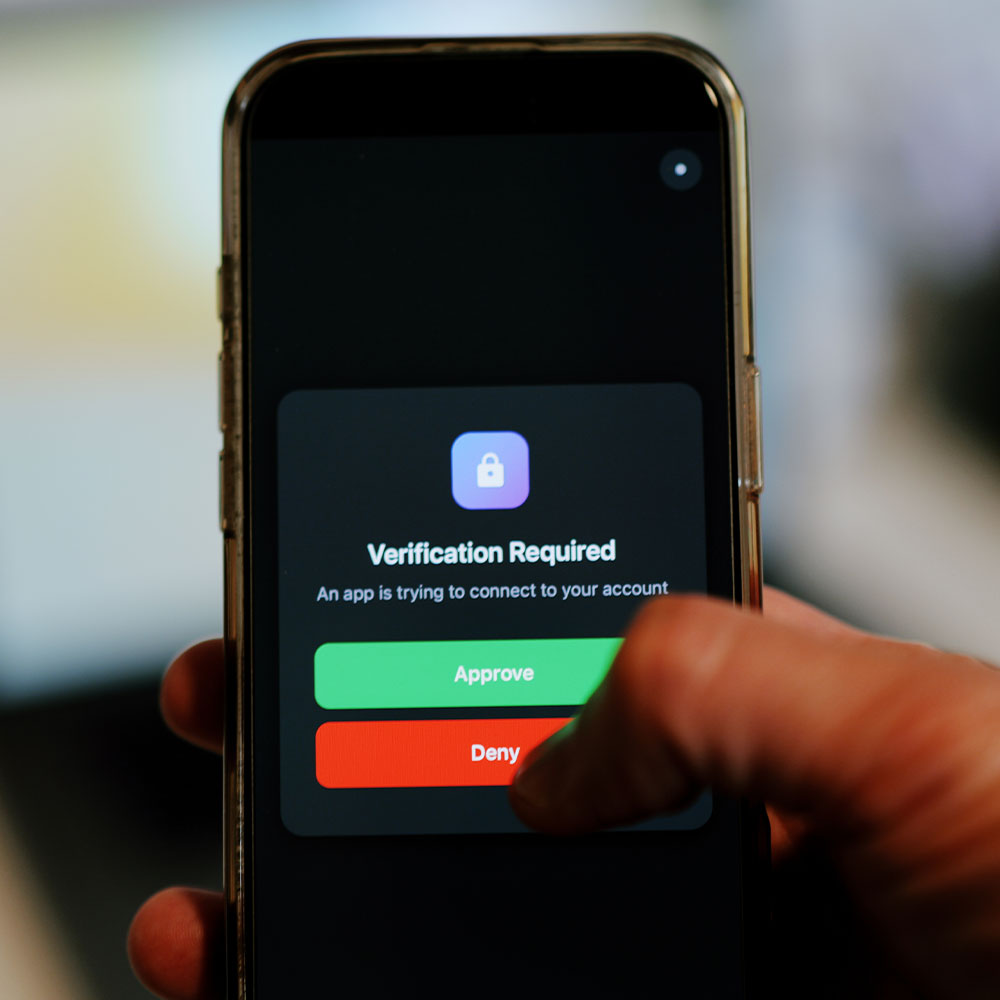
They begin with a login. A real username and password, used in the normal way, often from a normal location. That’s why credential theft remains one of the highest-probability risks for almost every organisation.
Multi-factor authentication reduces that risk by adding a second proof of identity. When implemented properly, it doesn’t just “add a step”. It changes the attacker’s success rate, reduces account takeover, and limits the impact of password reuse and phishing.
This guide explains MFA in practical terms, how to roll it out without chaos, and how to choose methods that stand up to modern attack techniques and compliance expectations.
Understanding the fundamentals of MFA
Two-factor authentication security and the rise of password fatigue
Two-factor authentication is a subset of multi-factor authentication, usually meaning “password plus one extra factor”. The “extra factor” might be a push prompt on an authenticator app, a code, a biometric check, or a hardware key.
Password fatigue is one of the biggest drivers of compromise:
- People reuse passwords across systems
- Passwords are stored insecurely
- Password resets are treated as friction, not security
- Users approve prompts too quickly when trained to “just get logged in”
Attackers exploit this with credential stuffing, password spraying, phishing, and social engineering. MFA interrupts these paths because stolen passwords alone are no longer enough.
A useful way to explain MFA’s value to stakeholders is simple: it converts password compromise from “incident” to “noise”, because the attacker cannot complete the login without the second factor.
Initial multi-factor authentication setup and best practices
MFA fails most often because of inconsistent coverage and weak policy design. Best practice starts with identifying where authentication matters most and ensuring there are no easy back doors.
A practical setup approach includes:
Start by inventorying identities and access paths. That means:
- Users and privileged accounts
- Service accounts and integrations
- Remote access tools
- Cloud applications
- Admin portals
Then design a rollout in logical waves:
- Wave one protects privileged accounts and admin portals immediately.
- Wave two covers standard users for email and core cloud apps.
- Wave three expands to all SaaS, remote access, and high-risk workflows.
Do not ignore legacy authentication. Old protocols and app passwords often bypass modern MFA controls. If those remain enabled, attackers will find them.
To reduce friction, pair enforcement with good user experience:
- Clear communications about what will change and why
- Simple self-service enrolment guidance
- A support plan for the first week of enforcement
- Backup methods for locked-out users that don’t create new risk
Success is measured not by “MFA enabled” but by “MFA enforced consistently across the estate”.
Exploring the benefits of MFA in modern cybersecurity
MFA changes the economics of attacks. Credential dumps and phishing campaigns become less profitable when the stolen password can’t be used.
In practical terms, MFA reduces:
- Account takeover risk
- Business email compromise likelihood
- Lateral movement after initial access
- Impact of password reuse across systems
It also improves incident response. When credentials are suspected to be exposed, security teams can revoke sessions and require re-authentication with MFA, reducing the window of opportunity.
For many organisations, MFA is one of the highest-ROI security controls available because it reduces a high-frequency risk category without requiring major infrastructure change.
Strengthening Identity and Access Management (IAM)
Phishing-resistant MFA methods and credential theft prevention
Not all MFA methods provide equal protection. Modern attackers can bypass weaker MFA using:
- Social engineering to trick users into approving prompts
- SIM swapping to intercept SMS codes
- Real-time phishing proxies that capture codes and replay them immediately
Phishing-resistant methods reduce these risks by binding authentication to a device or key that cannot be easily replayed. Stronger methods include authenticator apps with number matching, biometrics, and hardware security keys.
A practical approach is tiered MFA:
- Strongest methods for privileged users and high-risk roles
- Strong-but-user-friendly methods for standard users
- Transitional methods only where necessary, with a plan to retire them
Passwordless security for zero-trust authentication
Passwordless authentication removes the most commonly stolen factor. Instead of relying on something users can reuse or disclose, authentication is bound to the device or a secure key, often with biometrics as the user gesture.
This supports zero-trust models because identity assurance is stronger and less dependent on user behaviour. It also improves user experience. Fewer resets. Less lockout pain. Less support time.
A realistic adoption path is:
- Start with privileged accounts
- Expand to high-risk teams
- Then broaden once processes and support are mature
Passwordless works best when combined with device compliance and conditional access, ensuring that a stolen device alone isn’t enough.
Conditional access policies, MFA compliance requirements, and GDPR & ISO 27001
Conditional access turns MFA from blunt enforcement into intelligent control.
It lets you apply MFA based on context:
- Require MFA for risky sign-ins
- Require MFA when devices are non-compliant
- Require MFA when accessing sensitive apps or data
- Block access entirely when risk is too high
From a compliance perspective, MFA helps meet expectations around reducing unauthorised access to personal and sensitive data. Many organisations need to demonstrate that access is controlled, verified, and logged.
A strong compliance posture includes:
- Documented MFA policy and scope
- Consistent enforcement across critical systems
- Evidence via logs, audits, and periodic access reviews
Overcoming MFA Implementation Challenges
Most MFA failures are operational, not technical.
Common challenges include:
- Users resisting “extra steps”
- Legacy apps that can’t use modern auth
- Overly aggressive prompts causing fatigue and approval behaviour
- Poor exception handling creating shadow access paths
The solution is to treat MFA as a change programme:
- Communicate the business rationale clearly
- Roll out in waves with defined support windows
- Use conditional access to reduce unnecessary prompts
- Replace legacy authentication rather than making permanent exceptions
A key principle is that exceptions must be temporary and owned. Every exception is risk. If no one owns it, it becomes permanent.
Choosing the Right Secure Login Solutions
Adaptive authentication, SSO, and MFA for Microsoft 365
For Microsoft 365, MFA becomes most effective when paired with single sign-on and conditional access. SSO reduces password sprawl. MFA increases identity assurance. Adaptive authentication reduces friction by only challenging users when risk increases.
In practice, the goal is fewer prompts, but stronger enforcement. That means:
- Baseline MFA for all users
- Stronger requirements for high-risk roles
- Risk-based policies for unusual locations or behaviours
- Device compliance requirements for sensitive access
This design improves security without punishing normal work.
Biometric authentication methods and hardware security keys (FIDO2)
FIDO2 hardware keys and biometrics provide high assurance because they are phishing-resistant and not easily replayed. They are especially important for:
- Administrators
- Finance teams with payment access
- Executives
- Developers with high-privilege environments
While there is an upfront cost, organisations often see reduced support burden over time because users experience fewer password resets and fewer compromised accounts.
SMS code vulnerabilities and cyber-insurance requirements
SMS codes are better than nothing, but they are not strong enough for many modern threat models. SIM swapping and interception risks are well understood. Many cyber insurers and security frameworks increasingly expect stronger factors for privileged accounts and sensitive systems.
A practical stance is:
- Use SMS only as a temporary bridge
- Prioritise moving privileged users first to stronger methods
- Define a timeline to retire SMS where feasible
Multi-factor authentication as standard for secure IT
MFA can feel like a minefield, but with the right expert guidance, it could be one of the best and most integral security strategies for protecting your business. A managed IT security team that understands the nuances, risks, and correct protocols could be the difference between a day without disruption and disaster.
Make sure MFA is one part of a stronger security posture
MFA is one of the most effective controls you can implement but it's not a silver bullet. Compromised credentials are just one attack vector. Without the right controls around your wider infrastructure, endpoints and monitoring capability, gaps will remain that MFA alone cannot close. Our Security Audit looks beyond any single control to assess your organisation's overall cyber resilience, giving you a clear view of where MFA is working as intended and where additional risk remains. If you have invested in MFA, make sure the rest of your security posture is working just as hard. Book your Security Audit today and get the confidence that your defences go deeper than a single layer of protection.
Learn more